

Alternatives to Crops
Crops is AI-driven software that organizes creative assets, streamlines approvals, and catches errors for efficient.
Explore 20 alternatives to Crops. Compare features, pricing, and find the best fit for your needs.

Emailyy
Free email tools for signatures, subject lines, HTML previews, word counts, and email headers. Browser-based, simple to use, and no signup required.

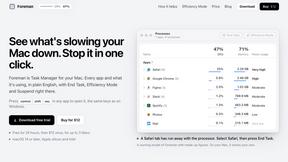
Foreman
See every app and what it's using in plain English, and end or slow down the one that's hogging your Mac.
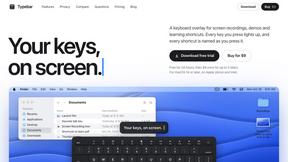
Typebar
Every key you press lights up on an on-screen keyboard, and each shortcut is named as you press it.

Uniclip
Clip pages, take full-page screenshots and batch-capture list data to Notion, Feishu, Obsidian, Markdown, CSV or JSON.

TroveKey
Search tabs, Chrome bookmarks and history, run browser commands, and save webpages and social posts locally—no account.

Todowing
Chrome extension that nests sub-tasks under their parents in Todoist's Today, Upcoming, Filter and Label views. Free tier, $19.99 one-time unlock.
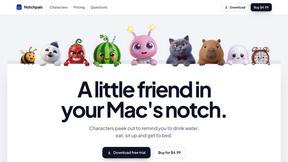
Notchpals
Little characters peek out of your Mac's notch to remind you to drink water, eat, sit up and get to bed. Quiet during calls. $4.99 once.

LightScreen
Free fullscreen light screen tool online. Turn any display into a flashlight, ambient light, or solid-color screen. No download or sign-up.
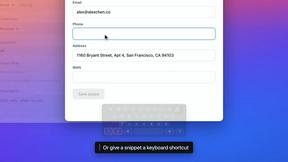


Everywhere
Fast file search for the Mac. Results as you type, files inside Mail and Photos, works with Wi-Fi off. $19 once.
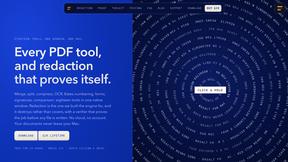
Basalt
Eighteen PDF tools in one native Mac window: merge, split, compress, OCR, Bates numbering, forms, signing and redaction. Offline. $29 once.

Voice Keyboard Pro
Hold a key, say what you mean, let go. Clean, punctuated text lands at the cursor in any app on your Mac or iPhone.
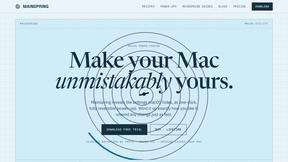
Mainspring
Mainspring turns the settings macOS hides into 90+ one-click, fully reversible power-ups for Finder, Dock, screenshots and more. $29 once.
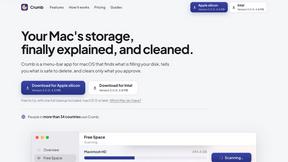
Crumb
A Mac menu bar app for a full disk. See what is using your space, read whether it comes back on its own, and remove only what you tick.

Inkling
Catch a thought without leaving what you are doing. Notes, checklists and a little companion in your Mac's notch. $12 once.
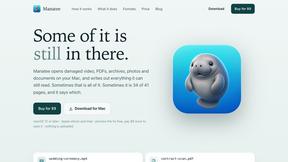
Manatee
A Mac app that opens damaged video, PDFs, archives and documents and writes out everything it can still read. $9 once, no uploads.

ogimagegenerator.dev
Paste a URL and AI designs on-brand Open Graph images from your page's colours, fonts and logo. Free, no sign-up.

Context Board
Context Board brings your numbers, docs, clients, content and day into one workspace that Claude and Codex can read and update.
About Crops Alternatives
Crops is an AI-powered Digital Asset Management software designed specifically for creative and marketing teams. It streamlines the creative process by organizing assets, facilitating approvals, and ensuring quality control, effectively addressing common challenges in creative workflows. Users often seek alternatives to Crops for various reasons, including pricing concerns, specific feature needs, or compatibility with their existing platforms. When evaluating alternatives, it is essential to consider the software's ability to enhance collaboration, improve efficiency, and support the unique requirements of your team's workflow. --- [{"question": "What is Crops?", "answer": "Crops is AI-powered Digital Asset Management software that organizes creative assets, streamlines approvals, and automates quality control for creative and marketing teams."}, {"question": "Who is Crops for?", "answer": "Crops is tailored for creative and marketing teams looking to enhance their workflow, improve collaboration, and ensure the quality of their digital assets."}, {"question": "Is Crops free?", "answer": "Crops is not free, but it offers various pricing plans to accommodate different team sizes and needs."}, {"question": "What are the main features of Crops?", "answer": "The main features of Crops include Smart Asset Organization, Streamlined Approvals, AI Quality Control, and Secure Sharing."}]