

Alternatives to MacBrightness
MacBrightness boosts your Mac screen past its limit up to 1600 nits for clear outdoor visibility with no subscription.
Explore 20 alternatives to MacBrightness. Compare features, pricing, and find the best fit for your needs.
@fuck.it - email with attitude
Private email. Pure. Secure. Exclusive. No ads, no tracking, no data selling. GDPR compliant, EU-hosted.

Panzoe
Panzoe is an all-in-one AI platform for personal productivity, business automation, AI assistants, content creation, and custom AI solutions.

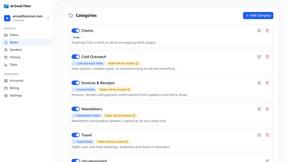
AI Email Filter
AI Email Filter sorts incoming mail into folders using plain-language prompts you write. Works with any IMAP mailbox; bring your own LLM if you want.

Egmatic
No-code 2D game editor: visual node logic, drag-and-drop scenes, live preview. Exports to Windows, macOS, Linux, Android, iOS, Web.
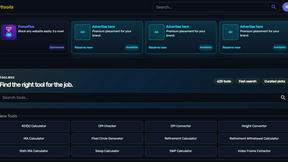
Kody Tools
Free collection of online developer utilities, code formatters, and digital converters designed to streamline your daily workflow.
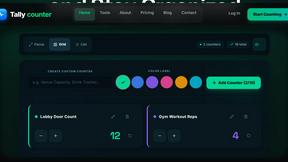
Tally Counter
Online tally counter for tracking attendance, workouts, inventory, visitors, sports scores, habits, and everyday counting tasks.
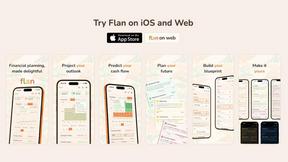
Flan
Visual financial timelines for couples and young professionals: model cash flow, life events, and shared goals.
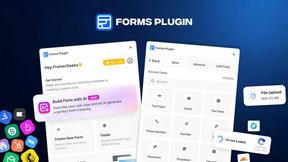
Forms Plugin
The #1 Native Form Builder Plugin for Framer - No Code, No Embeds, No External Platforms.
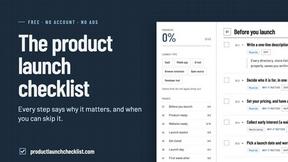
Product Launch Checklist
A free launch checklist for SaaS, apps, AI tools and more. Every step says why it matters and when you can skip it.
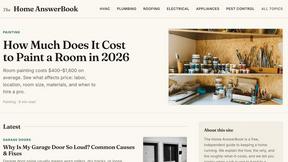
HomeAnswerBook
Practical, independent guides to home repairs, maintenance, costs, troubleshooting, and everyday fixes.
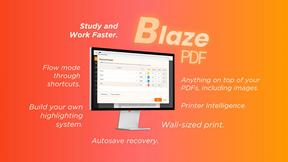
BlazePDF
Highlight faster. Study in flow with custom shortcuts and a workflow built around you. Print smarter, or turn any page into a tiled poster.

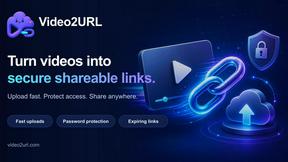
Video2URL
Turn videos, images, and files into secure direct links for sharing, embedding, and automated workflows.
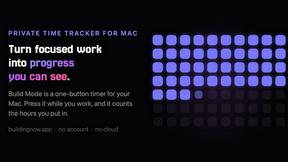
Build Mode for Mac
Build Mode is a Mac app that turns focused sessions into visible progress, so you can see the work adding up before the results arrive.


About MacBrightness Alternatives
MacBrightness is a utility tool in the Productivity & Management category designed specifically for MacBook Pro users with M-series chips. Its core function is to override the default brightness ceiling set by macOS, allowing the display to reach its full HDR potential—roughly twice the standard brightness—to improve visibility in direct sunlight or bright environments. Users commonly seek alternatives due to the tool’s limited hardware compatibility, concerns over the one-time purchase pricing model, or a need for similar features on older Mac models or non-Pro displays. Others may want a solution that offers more granular control or integrates with different workflows. When evaluating alternatives, focus on three key factors: hardware support, system integration, and cost structure. Ensure the tool is compatible with your specific Mac model and display type, as many brightness boosters only work with mini-LED panels. Look for solutions that use your existing brightness keys or offer intuitive shortcuts without requiring complex configurations. Finally, consider whether the pricing is a one-time purchase, a subscription, or free, and check for any trial options that let you test the functionality before committing. A reliable alternative should boost brightness system-wide without causing noticeable CPU drain or relying on unstable system hacks.
FAQs about MacBrightness Alternatives
What is MacBrightness?
MacBrightness is a utility tool that unlocks the hidden HDR brightness range on compatible Mac displays, allowing the screen to reach nearly double the standard brightness limit set by macOS. It works system-wide across all apps, not just for HDR video content, and integrates directly with the existing brightness keys on your keyboard. The tool is designed specifically for MacBook Pro 14-inch and 16-inch models with M-series Pro or Max chips, as well as the Pro Display XDR.
Who is MacBrightness for?
MacBrightness is for users who frequently work in bright environments, such as outdoors on a patio, on an airplane, or next to a sunny window, where standard screen brightness becomes difficult to read. It is ideal for professionals like photographers, videographers, or developers who need maximum display clarity in challenging lighting conditions. The tool is only compatible with MacBook Pro models featuring M-series Pro or Max chips and the Pro Display XDR, so it is not suitable for older Macs or non-mini-LED displays.
Is MacBrightness free?
MacBrightness offers a free try with Splitscreen Mode, where one half of your screen jumps to full brightness so you can see the difference side by side. To unlock the entire screen, you need to make a one-time purchase, and there is no subscription fee. This model allows you to test the effectiveness of the tool before committing to a purchase.
What are the main features of MacBrightness?
The main features include boosting screen brightness up to twice the standard macOS limit system-wide, using the existing brightness keys without requiring new shortcuts or gestures. It delivers readability in direct sunlight with no noticeable CPU overhead and no low-level system hacks, relying solely on the HDR brightness range your display already supports. The tool also provides a free Splitscreen Mode for side-by-side comparison before purchase.