

Alternatives to QuickSigner
QuickSigner lets you send, sign, and manage legally binding documents online in seconds with a secure, API-ready platform.
Explore 20 alternatives to QuickSigner. Compare features, pricing, and find the best fit for your needs.

Emailyy
Free email tools for signatures, subject lines, HTML previews, word counts, and email headers. Browser-based, simple to use, and no signup required.
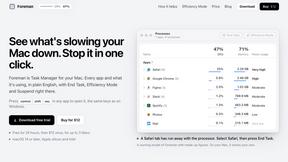
Foreman
See every app and what it's using in plain English, and end or slow down the one that's hogging your Mac.
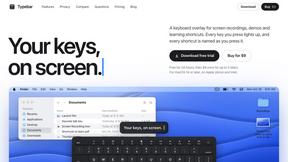
Typebar
Every key you press lights up on an on-screen keyboard, and each shortcut is named as you press it.

Uniclip
Clip pages, take full-page screenshots and batch-capture list data to Notion, Feishu, Obsidian, Markdown, CSV or JSON.

TroveKey
Search tabs, Chrome bookmarks and history, run browser commands, and save webpages and social posts locally—no account.
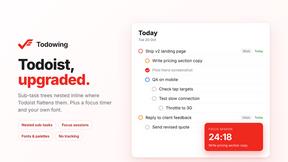
Todowing
Chrome extension that nests sub-tasks under their parents in Todoist's Today, Upcoming, Filter and Label views. Free tier, $19.99 one-time unlock.

Notchpals
Little characters peek out of your Mac's notch to remind you to drink water, eat, sit up and get to bed. Quiet during calls. $4.99 once.

LightScreen
Free fullscreen light screen tool online. Turn any display into a flashlight, ambient light, or solid-color screen. No download or sign-up.
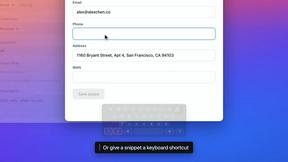
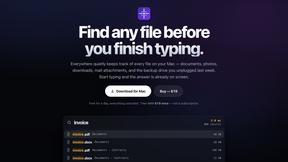
Everywhere
Fast file search for the Mac. Results as you type, files inside Mail and Photos, works with Wi-Fi off. $19 once.

Basalt
Eighteen PDF tools in one native Mac window: merge, split, compress, OCR, Bates numbering, forms, signing and redaction. Offline. $29 once.

Voice Keyboard Pro
Hold a key, say what you mean, let go. Clean, punctuated text lands at the cursor in any app on your Mac or iPhone.

Mainspring
Mainspring turns the settings macOS hides into 90+ one-click, fully reversible power-ups for Finder, Dock, screenshots and more. $29 once.
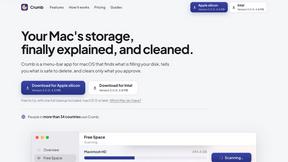
Crumb
A Mac menu bar app for a full disk. See what is using your space, read whether it comes back on its own, and remove only what you tick.

Inkling
Catch a thought without leaving what you are doing. Notes, checklists and a little companion in your Mac's notch. $12 once.

Manatee
A Mac app that opens damaged video, PDFs, archives and documents and writes out everything it can still read. $9 once, no uploads.

Context Board
Context Board brings your numbers, docs, clients, content and day into one workspace that Claude and Codex can read and update.

BacklinkBot
AI SEO agent that finds pages ranking for your keywords, pitches the people behind them from your inbox, and follows up. You approve every send.

About QuickSigner Alternatives
QuickSigner is an online electronic signature tool that falls within the Productivity & Management category. It is designed to streamline the entire document workflow, allowing users to sign, send, and finalize agreements in minutes rather than days, effectively replacing traditional back-and-forth email chains. While it offers a robust set of features like Adobe Approved Trust List signatures and ISO 27001 certification, users often begin searching for alternatives due to specific needs such as a more flexible pricing model for low-volume users, a desire for a different user interface, or the requirement for deeper integration with niche industry software. Others may need advanced workflow automation or a feature set that scales differently for enterprise-level document management. When evaluating an alternative, focus on finding a solution that matches your specific document volume and team size without overcomplicating the process. Look for a platform that prioritizes security compliance relevant to your industry, offers a straightforward user experience for both senders and signers, and provides the necessary API capabilities if you plan to embed signing into your own application. Pricing transparency is also critical; you want a solution that charges predictably based on your actual usage or subscription tier, not one with hidden fees for essential features like templates or audit trails. Ultimately, the best choice will balance ease of use with the security and legal validity required to make your documents enforceable.
FAQs about QuickSigner Alternatives
What is QuickSigner?
QuickSigner is an online eSigning platform designed to accelerate how you sign, send, and finalize documents. It belongs to the Productivity & Management category and turns days of back-and-forth communication into minutes by providing a simple, powerful, and secure electronic signature solution. The product includes an API for integration and is built to handle the entire document lifecycle efficiently.
Who is QuickSigner for?
QuickSigner is for professionals and businesses of any size who need to streamline their document signing processes. It is particularly useful for teams that frequently send contracts, agreements, or forms and want to eliminate the delays associated with printing, signing, and scanning. The platform is suitable for anyone from independent contractors to large enterprises looking for a secure and legally compliant way to manage signatures.
Is QuickSigner free?
Based on the provided content, QuickSigner is presented as a premium solution that comes with everything needed for secure and compliant eSigning. While it may offer a free trial or a limited free tier, the core value proposition emphasizes its powerful features, security certifications, and API capabilities, which typically align with paid subscription plans. Users should check the official website for the most current pricing and free trial availability.
Is QuickSigner secure?
Yes, QuickSigner is built with a strong focus on security and compliance. It is ISO 27001 certified, which is an international standard for information security management, and it utilizes Adobe Approved Trust List electronic signatures, ensuring a high level of legal validity and trust. These features confirm that the platform meets rigorous standards for protecting sensitive document data during the signing process.