

Alternatives to TinyFast
TinyFast instantly and privately compresses your files on your Mac without any uploads.
Explore 20 alternatives to TinyFast. Compare features, pricing, and find the best fit for your needs.

AI Email Filter
AI Email Filter sorts incoming mail into folders using plain-language prompts you write. Works with any IMAP mailbox; bring your own LLM if you want.
Egmatic
No-code 2D game editor: visual node logic, drag-and-drop scenes, live preview. Exports to Windows, macOS, Linux, Android, iOS, Web.

Kody Tools
Free collection of online developer utilities, code formatters, and digital converters designed to streamline your daily workflow.

Tally Counter
Online tally counter for tracking attendance, workouts, inventory, visitors, sports scores, habits, and everyday counting tasks.

Sprite Sheet Maker
A free browser-based toolkit for creating, cutting, converting, and previewing sprite sheet animations.
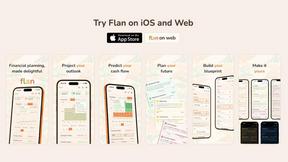
Flan
Visual financial timelines for couples and young professionals: model cash flow, life events, and shared goals.
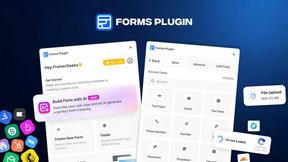
Forms Plugin
The #1 Native Form Builder Plugin for Framer - No Code, No Embeds, No External Platforms.

FaceCoda
Free AI attractiveness test and face analysis with private, on-device photo processing.

Product Launch Checklist
A free launch checklist for SaaS, apps, AI tools and more. Every step says why it matters and when you can skip it.

HomeAnswerBook
Practical, independent guides to home repairs, maintenance, costs, troubleshooting, and everyday fixes.
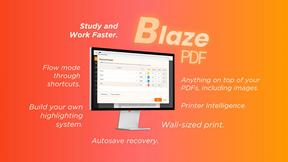
BlazePDF
Highlight faster. Study in flow with custom shortcuts and a workflow built around you. Print smarter, or turn any page into a tiled poster.

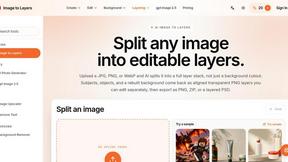
Image to Layers AI
Turn any image into editable layers with AI—separate subject, background, and objects as transparent PNG layers.

Video2URL
Turn videos, images, and files into secure direct links for sharing, embedding, and automated workflows.

Build Mode for Mac
Build Mode is a Mac app that turns focused sessions into visible progress, so you can see the work adding up before the results arrive.



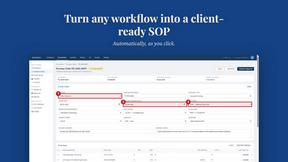
MySOP.guru
Capture any workflow in your browser and export a branded, step-by-step SOP with screenshots. €5 per document, no subscription.

Nano Editor
NanoEditor is an AI-powered D&D portrait generator that turns character details like ancestry, class and gear into focused fantasy RPG art.
About TinyFast Alternatives
TinyFast is a privacy-focused macOS application for local file compression. It instantly reduces the size of images, videos, PDFs, and more directly on your computer, ensuring your sensitive data never leaves your machine. This places it in the category of desktop optimization and productivity tools for Mac users. Users often explore alternatives for various reasons. Some may seek different pricing models, such as a one-time purchase versus a subscription. Others might need support for additional file formats, more advanced compression controls, or a tool that works across multiple platforms like Windows or online. When evaluating alternatives, key considerations include your primary need for privacy versus convenience, the specific file types you work with most, and your budget. It's crucial to determine if you require cloud-based accessibility or if a local, offline tool better suits your security requirements and workflow speed.
FAQs about TinyFast Alternatives
What is TinyFast?
TinyFast is a macOS application that instantly compresses images, videos, PDFs, and other files privately on your Mac, without uploading them to the internet.
Who is TinyFast for?
It's ideal for professionals like developers, designers, and content creators who handle sensitive materials and need fast, secure file compression directly on their computer.
Is TinyFast free?
The provided content does not specify its pricing model, so you would need to check the official TinyFast website or store page for current pricing details.
Why choose TinyFast?
You would choose TinyFast for its 100% local processing that guarantees privacy, its blazing-fast drag-and-drop workflow, and its broad support for common image, video, and document formats.