

Alternatives to BlueHumanizer
BlueHumanizer transforms stiff AI text into clear, natural writing with one click, keeping your meaning intact and citations untouched.
Explore 20 alternatives to BlueHumanizer. Compare features, pricing, and find the best fit for your needs.

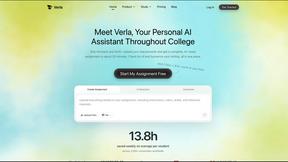
Verla AI
Verla is an AI academic assistant for university and college students, combining AI essay writing, academic research, AI detection, AI humanization, p
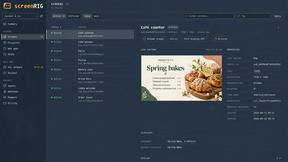
screenRIG
Signage and kiosk infrastructure for AI agents. Your agent publishes images, video, streams, web pages and apps to screens via one plugin.screenRIG is
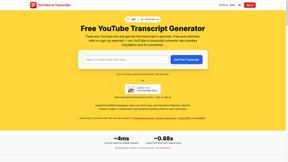
GetYouTubeTranscript
Free YouTube transcripts on the web, a Chrome extension, and an API + MCP server so AI assistants can read YouTube.

soulcinema
Soul Cinema turns a written shot into film-grade stills with cinematographer lighting, Soul ID character consistency across a sequence, reusable looks
Built2Win AI Indexing
Built2WinWeb builds high-performance custom PHP websites, ecommerce stores, and AI discovery infrastructure that make your site readable by AI.


Image to Layers AI
Turn any image into editable layers with AI—separate subject, background, and objects as transparent PNG layers.


Speechyou
AI transcription for voice notes, meetings, and audio files in 1,700 languages, with AI summaries and subtitle export and unlimited chat ai usage.

ProspectHalo
AI sales agent that finds qualified leads, runs outreach, follows up automatically, creates content, and helps book more meetings.

benchmark.directory
AI tools written up by the people who paid for them. Pricing, integrations, data policy and the limit we hit in a week of use.

saasgrow.ai
Get your SaaS tool discovered. Free listing, honest screening, a dofollow link — and no way for anyone to outbid you.


Tools Network
Tools Network is a curated directory of the best AI tools across 25+ categories. Compare ratings, pricing, and features to find the right one fast.


SnapPChart
SnapPChart grades a trading chart screenshot A+ to F, with an entry, stop, targets, and risk/reward. Works on stocks, forex, crypto, futures.

About BlueHumanizer Alternatives
When you are working with AI-generated content, the goal is often to make it sound less robotic and more like something a person would actually write. BlueHumanizer is a tool designed to do exactly that, falling into the category of AI humanizers or text rewriting assistants. It takes raw output from platforms like ChatGPT or Claude and reshapes the sentence structure and rhythm to produce clear, natural prose while preserving your original meaning, tone, and any citations. Users typically start looking for alternatives when they need more specific control over the output, such as deeper integration with their existing writing software, different pricing models that better fit a high-volume workflow, or specialized features like advanced plagiarism detection or SEO optimization that a general humanizer might not offer. When evaluating an alternative, focus on the core mechanics of how the tool rewrites text. Look for a solution that moves beyond simple synonym swapping and actually restructures sentences to restore natural flow. You should also consider the level of customization available, such as adjustable humanization levels or tone controls, to ensure the output matches your specific audience and purpose. Other critical factors include the breadth of language support, the security of your data, and whether the tool handles complex elements like quotes and citations without corruption. Ultimately, the best alternative will fit seamlessly into your specific workflow, whether that is refining academic papers, crafting marketing copy, or warming up business communications, without requiring a steep learning curve or a mandatory credit card to get started.
FAQs about BlueHumanizer Alternatives
What is BlueHumanizer?
BlueHumanizer is an AI humanizer tool that transforms AI-generated text into clear, natural writing with a single click. It rewrites output from ChatGPT, Claude, Gemini, or any AI writer into polished, human-sounding prose by reshaping sentence structure and restoring natural rhythm. Unlike basic synonym-swapping tools, it keeps your meaning, tone, and key points intact while ensuring quotes and citations remain untouched. It supports over 50 languages and offers adjustable humanization levels and tone controls.
Who is BlueHumanizer for?
BlueHumanizer is built for a wide range of users including students, researchers, marketers, and anyone who writes with AI assistance. It is ideal for refining essays, polishing research papers, shipping on-brand marketing copy, or warming up everyday emails and reports. The tool is designed to help users produce writing that reads clean, natural, and ready for publication without the robotic feel typical of AI output. Its adjustable controls make it suitable for both academic and professional content creation.
Is BlueHumanizer free?
Yes, BlueHumanizer is free to start and does not require a credit card to begin using the service. The free tier allows users to humanize AI-generated text and access core features like 50+ language support and adjustable humanization levels. This makes it accessible for casual users and professionals alike who want to test the tool before committing to any paid plan. The specific limitations of the free tier, such as word count caps, are typically outlined on the platform's pricing page.
What are the main features of BlueHumanizer?
Key features include one-click transformation of AI text into natural, human-sounding prose with better flow and sharper phrasing. It reshapes sentence structure rather than just swapping synonyms, and it preserves your original meaning, tone, and key points while leaving quotes and citations untouched. The tool supports over 50 languages and provides adjustable humanization levels as well as tone controls to match different writing contexts. It is designed for students, researchers, marketers, and professionals refining essays, research papers, marketing copy, emails, and reports.